










Guides

April 17, 2026

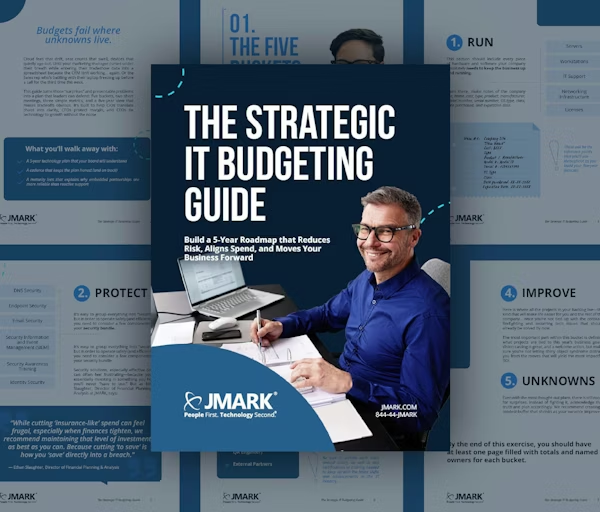
The Strategic IT Budgeting Guide

15 min read

1 of 1
The Strategic IT Budgeting Guide
30:07

Introduction: Budgets Fail Where Unknowns Live

Cloud fees that drift, seat counts that swell, devices that quietly age out. Until your marketing manager curses under their breath while entering their tradeshow data into a spreadsheet because the CRM isn't working… again. Or the Sales rep who's battling with their laptop freezing up before a call for the third time this week.

This guide turns those "surprises" and preventable problems into a plan that leaders can defend: five buckets, two short meetings, three simple metrics, and a five-year view that makes tradeoffs obvious. It's built to help CIOs translate chaos into clarity, CFOs protect margin, and CEOs tie technology to growth without the noise.

What you'll walk away with:

  • A 5-year technology plan that your board will understand
  • A cadence that keeps the plan honest (and on track)
  • A maturity lens that explains why embedded partnerships are more reliable than reactive support

Chapter 1: The Five Buckets

The fastest way to make an IT budget defensible is to sort every dollar into a few buckets that everyone understands. It forces focus, exposes blind spots, and gives finance real leverage on tradeoffs.

These buckets will consist of the technology that helps your business operate efficiently and effectively. We recommend dividing your technology resources into the following five categories:

  1. The technology you need to run your business
  2. The technology you need to protect your business
  3. The technology you need to improve your business
  4. The people you need to keep your technology running
  5. The unknowns you need to plan for in the future

Bucket 1: Run

This bucket should include every piece of hardware and software your company absolutely needs to keep the business up and running.

  • Servers
  • Workstations
  • IT Support
  • Networking Infrastructure
  • Licenses

From there, make notes of the company site, name, cost, type, product, manufacturer, model number, serial number, OS type, class, date purchased, and expiration date. These will be the reference points that you'll use throughout as you build your five-year forecast.

For example:

Item #1:

  • COMPANY SITE: Primary - Kansas City, MO
  • NAME: ALX-APP1
  • COST: $46,322
  • TYPE: Managed Server
  • PRODUCT: Virtual Machine (Guest)
  • MANUFACTURER: VMware, Inc.
  • MODEL #: ProLiant DL360 Gen 10
  • SERIAL #: MXQ2030KSV
  • OS TYPE: VMware ESXi 7.0.3 build-19482537
  • CLASS: DL360
  • DATE PURCHASED: 12/30/2021
  • EXPIRATION DATE: 2/20/2025

Bucket 2: Protect

It's easy to group everything into "security," but in order to operate safely (and efficiently), you need to consider a few components of your security bundle.

  • DNS Security
  • Endpoint Security
  • Email Security
  • Security Information and Event Management (SIEM)
  • Security Awareness Training
  • Identity Security

Security solutions, especially effective ones, can often feel frustrating because you're essentially investing in something you hope you'll never "have to use." But trimming costs in the name of "saving" can be the very thing that creates risk.

"In the age of AI, bad actors have increasing access to advanced and novel tools, so staying on the cutting edge of protection is paramount. While cutting 'insurance-like' spend can feel frugal, especially when finances tighten, we recommend maintaining that level of investment as best as you can. Because cutting 'to save' is how you 'save' directly into a breach."

— Ethan Slaughter, Director of Financial Planning & Analysis


Bucket 3: Improve

Here is where all the projects in your backlog live—the kind that will make life easier for you and the rest of the company… once you're not tied up with the constant firefighting and recurring tech issues that should already be solved by now.

Here are some core categories to consider (pick what applies this year):

  • License & Stack Optimization: Consolidate overlapping tools, right-size seat counts, retire unused software.
  • Network & Connectivity Modernization: Replace aging switches/access points, segment traffic, Quality of Service (QoS) for critical apps.
  • Data, Reporting, & Business Intelligence Enablement: Clean data sources, automate exec reporting, set finance/ops dashboards.
  • Workflow Automation: Eliminate recurring manual tickets (password resets, onboarding, patch exceptions).
  • Collaboration & Meeting Experience: Room standards, conferencing kits, managed updates.
  • Device & Endpoint Experience: Standardize images, zero-touch deployment, app baselines by role.
  • Resilience Enhancements: Backup coverage, restore drill cadence, playbooks for IT operations and incident response.

The most important part within this bucket is defining what projects are tied to this year's business goals. Vision casting is great, but make sure you're not letting shiny object syndrome distract you from the moves that will yield the most impactful ROI.

For each of the projects in this bucket, make sure to capture:

  • Which company goal each project supports
  • What "done" means in one sentence
  • The project owner's name and department
  • Dependencies like licenses, people, and milestones (from your roadmap)
  • The dollar amount and whether it falls under CapEx or OpEx
  • The number that proves it worked (e.g., hours saved, tickets prevented, cost reduced)

Bucket 4: People

There's a reason our motto is People First, Technology Second®. It's because your technology is only as great as the people controlling it. In this bucket, you'll record all personnel responsible for your organization's IT and tech support.

For companies who have an in-house IT team, a breakdown might look like:

  • CIO/CTO or IT Director
  • Managers
  • Engineers & Developers
  • Analysts
  • Technicians & Administrators
  • Specialists (e.g., Cybersecurity Specialist, QA Engineer)
  • External Partners

For those who have outsourced IT support to an MSP, that may look like:

  • Onboarding team
  • Dedicated Client Relationship Manager
  • Security team
  • Industry-specific service and engineering teams

Be sure to include each role's annual salary, as well as any certifications or training needed to keep up with the latest shifts and advancements in the IT industry.


Bucket 5: Unknowns

Even with the most thought-out plans, there is still room for surprises. Instead of fighting it, acknowledge that truth and plan accordingly. We recommend creating a modest buffer (5–15% of the total project or annual budget) that shrinks as your variance improves.

Calculating Your Variance to Plan %

Variance to Plan (%) = ((Actual Spend − Planned Spend) / Planned Spend) × 100

The Baseline: A 90-Minute Audit for Financial Clarity

You don't need a month-long audit to find the leaks. Ninety minutes is enough to stop the bleeding and earn credibility. The goal of this audit is to identify and account for every piece of technology your company is spending money on. By the end of this exercise, you should have a clear view of what items are helping you meet your business goals, and what items are creating budget leaks—small, repetitive, or forgotten expenses that go unnoticed but can significantly drain your finances over time.

  • 30 min: Pull the last 12 months of invoices (cloud, licenses, devices, support)
  • 30 min: Tag each line: recurring/one-time, planned/unplanned
  • 30 min: Flag the usual leaks: auto-renew escalators, unused seats, cloud egress, out-of-warranty devices

Wrapping Up the Five Buckets

By the end of this exercise, you should have at least one page filled with totals and named owners for each bucket: 1. Run (Owner), 2. Protect (Owner), 3. Improve (Owner), 4. People (Owner), 5. Unknowns (Owner).

What to track next:

  • Surprise Spend % = Unplanned IT $ / Total IT $ (drive down quarterly)
  • A short "plug-the-leak" list with $ estimates and owners (board-ready receipts CIOs can stand behind)

"The cost of delay is something that can quickly compound. Dollars, opportunity, morale, you name it. The issue we see in many companies is the decision to delay an upgrade to save upfront, only for it to turn into tech debt, then disruption. My advice is to budget for timely change or end up paying for chaotic change."

— Ethan Slaughter, Director of Financial Planning & Analysis


Chapter 2: Aligning Your IT Strategy to Your Business Strategy

If your IT strategy doesn't serve this year's goals, your technology will soon become a bottleneck. Because what many executives don't realize is that your IT strategy is your business strategy.

Alignment in Action

For each company-level objective, list the minimum technology moves required.

  • Opening 2 Branches (Banking): networking, devices, endpoint hardening, regulator docs.
  • Improve Margins (Healthcare): license cleanup, underutilized software cuts, simple automation wins.
  • Property Refresh (Hospitality): Wi-Fi/telecom modernization, payment security, property-by-property device waves.

"Revenue gives you permission to budget expenses. Tie each major IT line to a revenue or risk rationale you can defend in plain financial terms."

— Ethan Slaughter, Director of Financial Planning & Analysis


The Five-Year Tech Plan: What It Is & Why It Matters

Finance needs predictability, but IT needs room to adapt… which can feel like a constant tug-of-war. That's why we recommend creating a plan that makes space for a five-year window—long enough to provide stability, yet short enough to revise annually and pivot, if needed, with new data.

The Cost of Short-Term Planning (3 Years or Less)

If you're wondering what's at risk with a shorter timeline, here are some things to consider.

  • Hardware Depreciation: PCs and laptops follow a 36 to 48-month depreciation cycle. Servers and Networks follow a 48 to 60-month depreciation cycle. A three-year plan leaves at least one class of assets stranded between budgets, creating expensive surprises.
  • Licensing Commitments: Enterprise SaaS and security stacks often come in 36 to 48 month contracts. A shorter horizon lands you in mid-term negotiations (and penalties) with no funding reserved.
  • Financing & Leases: Capital leases and hardware-as-a-service agreements are typically written for 48 to 60 months. Ending your plan early means paying off equipment after the roadmap "ends."
  • Strategic Projects: Cloud migrations, ERP rollouts, and new regional office expansions rarely finish within two fiscal years. A three-year view splits one transformation across two disconnected budgets and leadership teams.

Why Looking Ahead Further Than Five Years Doesn't Work

By that same token, planning too far into the future can pose just as much risk. Because a longer horizon means things start to get fuzzy, and planning becomes less of a data-backed decision and more of a gamble.

  • Vendor Support: Manufacturers publish support, warranty, and end-of-life schedules only five years out. Beyond that, model changes make cost estimates little more than guesses.
  • Economic Trends: Interest rates, power costs, and cloud pricing models swing meaningfully over half-decades. Forecasting beyond 60 months adds noise, not clarity.
  • Compliance & Regulatory Cycles: Frameworks like PCI-DSS, HIPAA, and SEC cyber-rules revise every 3-5 years. After that, you're budgeting blind to the next compliance reset.
  • Technology Evolution: Five years ago Wi-Fi 6E, AI-ready GPUs, and quantum-safe encryption were fringe topics. Forecasting year 7 hardware forces you to price tech that may not exist yet.

Chapter 3: How to Build Your 5-Year Roadmap

This chapter walks through a six-step process for building a five-year technology roadmap that leadership can defend and adapt. Download the 5-year technology roadmap template to follow along.


Step 1: Baseline Inventory

You can't forecast what you can't see. Incomplete inventories are one of the main sources of "mystery spend." This first step creates a single source of truth your finance team will trust.

What to Pull:

  • Remote Monitoring and Management (endpoints, OS, patch status)
  • Mobile Device Management (enrollment, last check-in)
  • Identity (active users)
  • Finance/GL (asset register, CapEx/lease logs)
  • License portals (assigned vs. available seats)

Normalize These Fields:

  • Asset ID
  • Serial
  • Model
  • Role/Dept
  • User
  • Location
  • Purchase Date
  • In-Service Date
  • Support/Warranty End
  • Cost
  • Cost Center
  • Lease End
  • Criticality (High/Medium/Low)

Your Checklist

Here are some actions we recommend taking to ensure your inventory is not only accurate but also something everyone on your team can clearly see and understand.

  • Join on Serial/AssetID and resolve any duplicates
  • Flag stale endpoints (no check-in ≥ 30 days)
  • Map each asset to a role cohort (frontline, knowledge worker, power user, exec)
  • Produce a Gap Log with owners and due dates

The Visibility Ratio

Ultimately, the goal is to track your Visibility Ratio (managed assets ÷ discovered assets) and aim for a target of ≥ 98%.

Anything under 98% should trigger a quick gap hunt to find missing or stale devices and licenses.

With this information, you'll have a clear view of owners, due dates, and gaps—along with notes on how each gap will be fixed. Use this as board-ready evidence of control and ongoing housekeeping.


Step 2: Define Lifecycle Policies

Stretching hardware feels frugal, until downtime, breach risk, and morale tax margins. A proper lifecycle policy is how you buy reliability on purpose.

Here are some default lifecycles based on what has been most effective among our client base:

  • Desktops: 3 years
  • Laptops: 4 years
  • Servers: 4 years
  • Network Gear: 5 years

It's important to make note of the warranty window for every device. Doing so can help you forecast demand for replacement parts and pre-position inventory at service centers after knowing which parts are most likely to be needed.

How to do it:

  • Assign every asset a Refresh Quarter (Every 36/48/60 months)
  • Group into quarterly waves, binding each wave to a cost center

The MSP Maturity Map

If you're working with a managed services provider (MSP), a helpful mental model to consider is JMARK's MSP Maturity Map:

Break-Fix Vendor (Low Partnership Depth, Low Business Alignment)

Silent, until something breaks.

  • Poor communication
  • Vague reporting
  • Always reactive
  • No accountability

Ticket-Taker (Low Partnership Depth, High Business Alignment)

Checks boxes, not goals.

  • Handles tickets quickly
  • Some processes in place
  • Focused on systems, not strategy
  • Feels "fine" until it's not

Strategic Support (High Partnership Depth, Low Business Alignment)

Invested, but not aligned.

  • Frequent communication
  • Tactical visibility
  • No connection to strategic goals
  • Still reactive under stress

Embedded IT (High Partnership Depth, High Business Alignment)

Co-architect of success.

  • Tied to KPIs and long-term goals
  • Sits with the C-suite
  • Translates IT into boardroom language
  • Prevents chaos before it starts

There's a direct link between the Operational Maturity Level (OML), which measures how advanced an organization's IT services are, and the quality of those services. Because when you're operating at a higher maturity, your IT is more reliable. And when your IT is more reliable, technology turns from a necessary evil to a cornerstone for your company's growth.

That's the biggest gap between an outsourced IT vendor and an embedded partner. Embedded IT fully integrates into your business's ecosystem. Your IT strategy isn't made in solitude—because your IT strategy is your business strategy. From devices to security to forecasting to lifecycle management, every decision involving IT is made in service to your company's primary mission.

The key to this exercise is that once you identify your MSP's maturity, you can budget to fund your company's climb to the next rung. Because while it may be enticing to leap to your desired level, embracing a long-term view is the best way to ensure your growth is sustainable and as painless—for you and your team—as possible.


Step 3: Layer Business Milestones

Tech spend without business context becomes expensive noise. Make sure to tie every wave and initiative to a goal the business cares about.

What to Layer In:

  • Growth: Product launches, branch/property openings, Mergers and Acquisitions (M&A)
  • Governance: Compliance/audit windows
  • People/footprint: Hiring plan, turnover, seasonality

From there, build off of the list you created in Chapter 2 to create a one-page Tech Dependencies for This Year's Goals, noting:

  1. Each goal.
  2. The minimum technology moves required to achieve them.
  3. The quarter each goal and move lives in.
  4. Who owns each goal.

Tag each lifecycle wave/initiative with a Milestone ID—a short code or label you assign to a specific business event that impacts your IT plan. Think of it like a tag that connects your IT projects and budget lines back to a concrete company milestone.

Alignment Delta

To ensure your IT strategy supports your business strategy, we recommend calculating the Alignment Delta—the percent of budget lines tied to current company goals. If your delta is ≥ 80%, you're trending in the right direction.

Alignment Delta = (Budget $ tied to defined business goals / Total IT Budget $) × 100


Step 4: Model Cost Curves

Predictability beats post-invoice diplomacy. Model CapEx and OpEx so Finance sees the future before it hits cash.

Tabs that Keep You Honest:

  • Assumptions: Inflation, wage growth, vendor escalators, failure rates, lease terms
  • OpEx: Licenses, cloud (commit vs. on-demand), SOC/MDR, telco
  • CapEx: Device waves, servers, network, one-offs (include disposal/resale credits)
  • People: Internal FTEs, partner services (rate card), planned attrition/backfill

We'd be remiss if we didn't admit there's a certain hesitancy about investing in IT… especially regarding upfront costs.

For example, when an IT provider offers "no onboarding fee," it may sound like a win, and rightly so. But in reality, it often means they're skipping the deep work required to uncover vulnerabilities, optimize your system, and build a healthy network that can sustain your company's continued growth.

This results in some providers taking the full three-year contract just to try and stabilize a client's network—because they never did the proper work to onboard.


The Hidden Costs of Downplaying Onboarding CapEx

When an MSP skips proper onboarding, it shows up in the day-to-day—where it hurts the most. Take something as simple as a basic password reset. Without the right systems and documentation in place, that one request can take 4 to 6 hours to resolve.

Here's how the cost of that scenario plays out:

  • Employee hourly rate: $34/hour
  • Downtime per ticket: 4 hours
  • Tickets per month: 80
  • Monthly productivity loss: $11,200
  • Annualized cost of poor IT: $134,000 per year

Six figures a year… gone. All from avoidable delays caused by weak onboarding.

Weigh that against JMARK's average password reset time of 90 seconds, and you'll see the difference. But it's not because we do anything fancy or have access to insider information that other providers don't. What it really comes down to is that we do the foundational work upfront, so your team stays productive and protected.


How CapEx Flattens Future Cost

Another reason investing upfront pays off long-term is the decrease in OpEx—the day-to-day costs associated with running and maintaining technology infrastructure and services.

Take JMARK's proactive health and automation team, for instance. When companies invest in onboarding and CapEx, like hardware and servers, our team can write and execute custom scripts that identify and resolve problems before our clients' users even notice.

One JMARK client had 62 tickets submitted by users in April. In the same period, our automation systems resolved 167 tickets preemptively with our automations.

That's 9,912 hours of productivity saved in one year—just for that client. At $35/hour, that's $346,920 in savings.

To be conservative, let's assume only 80% of those would've become tickets = $277,536/year saved

Prevention Yield

This is an example of a strong prevention yield (72%), which measures how much IT works your systems and automations prevent before it ever becomes a user problem. It's a direct indicator of how proactive your IT environment really is, showing the ratio of issues avoided to issues reported.

A higher Prevention Yield means less downtime, higher employee productivity, and lower IT labor cost. Track it quarterly to show how proactive IT (such as scripting, monitoring, and patch automation) improve performance over time. From there, pair it with your Variance to Plan and Surprise Spend % to show the financial impact of prevention.

Prevention Yield % = (Tickets Prevented / (Tickets Prevented + Tickets Resolved (User Facing))) × 100

Here's more evidence of what our team has accomplished with the level of investment in IT and technology:

  • 3.8 Million+ hours saved via automation (2025)
  • 88.5 Million+ scripts executed (2025)
  • 97% CSAT across industries
  • 293,878+ proactive tickets resolved, vs. 55,634 client-facing

Questions to Ask Your Provider

If you're not sure where your provider lands, here are some questions to ask:

  • "What does your onboarding process include—beyond installing agents and getting passwords?" (Most only do these two things)
  • "How long is your onboarding process, and who leads it?" (If they say one or two days onsite, that's another red flag)
  • "How do you ensure our IT environment becomes stable, secure, and productive within 90 days?"
  • "How many tickets do you prevent with automation each month?"
  • "Do you have a dedicated team writing proactive scripts?"
  • "Can you show me how many user-hours you saved your clients last year?"
  • "Is your model focused on resolving issues or preventing them from the start?"

Step 5: Stress-Test Scenarios

Boards approve plans that survive change. Running multiple company-specific scenarios will help you show the deltas before the market does.

Here are three quick scenarios you can run:

  1. Headcount + 10% (seats, devices, licenses, support impact)
  2. Mergers & Acquisitions (branch/property add: onboarding kit, network uplift, identity merge)
  3. Downturn (CapEx deferrals, license consolidation, commit renegotiations)

For each scenario, be sure to show the delta vs. baseline by bucket/quarter, and the resulting decision (keep/shift/kill). The goal is to keep your Surprise Spend % < 10% within two quarters.


Step 6: Executive Sign-Off & Quarterly Cadence

CFOs and CEOs don't fund theories. They're more concerned with clarity and cadence, so it's important that your budget aligns with those expectations. When presenting to your board, make sure to keep the packet tight and the rhythm light. See the example below:

Board Packet

  • This Year by Bucket (one visual)
  • Five-Year IT Roadmap
  • Tech Dependencies for This Year's Goals (from Step 3)
  • Three Health Metrics:
    • Variance to Plan (last quarter)
    • Surprise Spend % (trending down)
    • Prevention Yield (trending up)
  • One Decision needed this quarter (owner + date)

Two Short Meetings (Every Quarter)

  • Strategy Sync (60 Min): Cover goals, tech dependencies, budget impact, and decisions/owners
  • Renewal/Commit Review (45 Min): Look 90 days out and decide what you need to keep, renegotiate, and retire

Maturity Check (Twice a Year)

Score the partnership with the MSP Maturity Map and invest to reach the next rung. If you're already scoring within the Embedded Partner zone, make sure your partnership aligns with all three pillars of the Win-Win Model:

Pillar 1: Technology Infrastructure

Enterprise-grade systems scaled to your size, with clear inventories, lifecycle reporting, and reliable uptime. When this is missing, blind spots and downtime derail momentum because there's no stable ground to build on.

Pillar 2: Strategic Alignment

Technology decisions tied directly to business outcomes through C-suite reviews, KPI awareness, and synchronized budget cycles. Without this, IT remains stable but stagnant—only solving yesterday's problems instead of fueling growth.

Pillar 3: Cultural Resonance

Partnership built on clear, respectful communication and seamless teamwork, where your people feel safe and supported. Absent this, friction and distrust slow progress, even if the right tools and plans are in place.

The Win-Win Zone

Where all three pillars meet = true leverage, peace of mind, and growth capacity.

What it means:

  • You focus on what you do best—not IT fire drills
  • Leadership makes decisions with clarity and confidence
  • The business scales with stability, not stress

How It Connects to the MSP Maturity Map

Whether your organization aligns with each pillar of the Win-Win Model is a strong indicator of your MSP's maturity. Below, you'll see how each maturity level meets the Win-Win criteria, and the long-term impact it has on your business.

  • Level 1: Break-Fix Vendor — Meets Win-Win Criteria? N/A. No pillar present. Chaos.
  • Level 2: Ticket-Taker — Infrastructure only. Stable but stagnant.
  • Level 3: Strategic Support — Infrastructure + some strategy. Better, but still no alignment or culture fit.
  • Level 4: Embedded Partner — All 3 pillars. Full Win-Win realized. True partnership.

Proof, Benchmarks, Industry Notes & Board Presentation

Case Evidence

One of our clients, a national hospitality firm, signed a 5-year agreement—the longest they have with any vendor. They've also shared our Client Impact Report with other vendors as the standard, their VP of IT stating it's because "this is how it should be done."

Here are some of the areas we cover in our Client Impact Report:

  1. Effort Analysis by Type: Shows how much work each service type takes (% of effort), the number of tickets it generates, and customer satisfaction results (average score and response rate).
  2. Proactive & Automation Value: Shows the scripts and commands our proactive health team executed, hours saved through automation, health data points sampled, and ticket volume by class (client-facing vs. proactive).
  3. Security Awareness: Shows how likely employees are to fall for a phishing email (click rate on simulations), how that risk changes over time, results from phishing tests, and which users carry the highest risk.

Our client's confidence in JMARK's partnership shows the benefit of building a detailed IT budget and roadmap. This level of granularity—every device documented at every location, lifecycle warranties noted with phased upgrades planned, accurate forecasting for new tools or hotel properties, time-to-implement, cost, and impact to their bottom line—is what builds long-term trust. Because if your IT partner can't sweat the "small stuff," where else are they taking shortcuts?


Industry Benchmark: How Much Should You Budget for IT?

Most small and mid-sized businesses should allocate 3-5% of annual revenue toward IT and cybersecurity.

Heavily regulated industries like finance, healthcare, and legal typically require close to 10% to maintain compliance, ensure redundancy, and fund proactive risk mitigation.

Cross-check your current IT budget. If it currently falls below these benchmarks, you may already be underfunding the infrastructure required to scale safely and competitively.

Evidence beats adjectives. Providing relevant industry context prevents hand-waving, and this kind of clean format earns the "yes."


Industry Quick Notes & Board-Ready Recap

Here are some helpful notes to keep in mind if you work in a more heavily regulated industry.

Banking

Regulatory cadence + branch/ATM lifecycle = predictable peaks—label them. CEOs want to compete in areas like AI and automation without waste. CFOs want clean unit economics.

Healthcare

Prioritize utilization before net-new. Tie spend to payer-mix pressure and compliance windows.

Hospitality

Identify any fragmented property systems and payment security. Plan Wi-Fi/telecom modernization and wave-based device refresh.

Board-Ready Recap

  • Two assets: Year-by-bucket and 5-year technology roadmap
  • Three metrics: Variance to Plan, Surprise Spend %, and Prevention Yield
  • One decision: The budget move needed this quarter (owner/date)

Take Your Seat at the Table (What's Next)

You now have a budget you can defend without flinching, a roadmap leadership can understand at a glance, and a cadence that keeps surprises out of the headlines. While it can be easy to see this as no more than paperwork, we urge you to see this as a sign of permission.

Permission to speak in outcomes, not tickets. Permission to frame tradeoffs before they become emergencies. Permission to sit in the room where it happens and advocate for the people who depend on you every day.

Your next move is simple: present the plan, practice the story, and lock the rhythm. Use the two assets and three metrics to open the conversation, tie each major line to a revenue or risk rationale, and end every meeting with one clear decision. That's how technology stops being a necessary evil and becomes a force multiplier for your organization.

1 of 1