









Guides

April 17, 2026

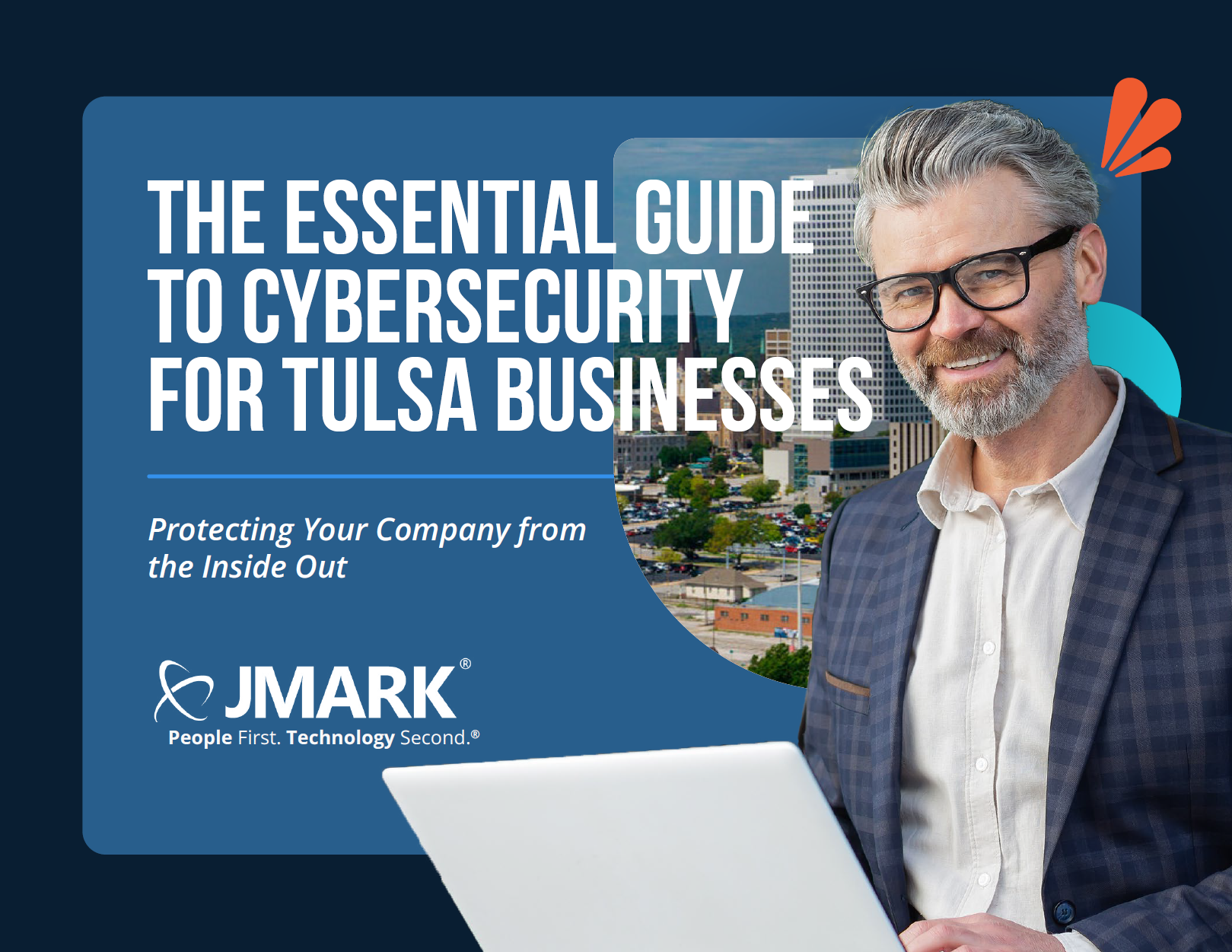
The Essential Guide to Cybersecurity for Tulsa Businesses

10 min read

1 of 1
The Essential Guide to Cybersecurity for Tulsa Businesses
19:36

Imagine...

It's a typical Monday morning, and you're going through your routine when suddenly, you get an urgent call from your IT team. They inform you that your company's network has been compromised. Within minutes, critical data is encrypted, operations grind to a halt, and you receive a ransom demand that could cost your business thousands, if not millions, of dollars. As the minutes tick by, panic sets in—not just because of the immediate financial hit, but because you know your reputation is on the line. Clients will lose trust, and your competitors will take advantage of your vulnerability.

This scenario is every business leader's worst nightmare. The fear of being hacked, losing hard-earned money, and seeing your company's reputation destroyed probably keeps you up at night. The worst part? This is exactly what is happening to companies across the country.

In 2023, over 880,000 complaints about cybercrime were sent nationwide. Additionally, 117,000,000 records were exposed in online data breaches in Q2 of 2024.

These examples are only a fraction of the attacks that continue to affect businesses nationwide. And in a city like Tulsa, where local businesses are the backbone of the community, the stakes are even higher. The good news? You're not alone, and there are steps you can take to protect your company from these very real threats.

No matter the industry you're in, the strategies outlined here will provide the insights and actions you need to ensure the longevity of your business. Because cybercriminals are not going to stop. And with the rise of artificial intelligence, the ability to create complex scams and phishing attempts has never been easier.

The question is, what are you doing to fight back?


Understanding the Cybersecurity Landscape in Tulsa

1. Ransomware Attacks

Ransomware has become one of the most significant threats to Tulsa businesses. In the last three years, Tulsa has experienced three major attacks. These attacks resulted in the theft of over 18,000 city files, including sensitive police citations and internal documents, emergency patients being diverted to other local hospitals, and temporary closure of some pharmacies. Residents' personal information, such as names, birth dates, and driver's license numbers, were also compromised.

Why It Matters:

This incident highlights the serious risk ransomware poses to both government entities and private businesses. No one is safe—no matter their size or status. These attacks can do serious damage—not only to your operations and finances but to your clients and employees, too.

Here's What You Can Do:

  • Implement robust offsite backup systems to ensure data can be restored without paying a ransom.
  • Train employees to recognize phishing attempts that could lead to ransomware infections.
  • Regularly update software to close vulnerabilities that ransomware exploits, and check updates manually.

2. Phishing Attacks

Phishing remains one of the most common attack vectors. Cybercriminals often pose as legitimate businesses or organizations to trick users into revealing sensitive information. A single successful phishing attempt can compromise an entire network.

Why It Matters:

Phishing attacks are simple yet highly effective. They exploit human error, making them difficult to defend against without proper training. And when 31,000 phishing attacks are deployed daily? It's wise for your business to develop a culture of security.

Here's What You Can Do:

  • Directly contact the organization from their official website to verify legitimacy.
  • Use email filtering tools to block suspicious messages.
  • Implement multi-factor authentication (MFA) to add an extra layer of security.

3. Unpatched Vulnerabilities

Failing to keep systems and software up-to-date creates openings for attackers. Outdated software with known vulnerabilities is an easy target for hackers, which is probably why 60% of data breaches are caused by the failure to apply available patches.

Why It Matters:

A study found that 84% of companies have high-risk vulnerabilities, but half of them could be removed with a simple software update. This means that vulnerabilities and data breaches are preventable.

Cybercriminals love to exploit known vulnerabilities in outdated software to gain access to networks. But it is key to remain proactive and address minor issues before they become major obstacles. One of the best ways to do that? Talk to an IT expert and perform a network evaluation.

A Network Evaluation allows you to:

  • Uncover potential security gaps before they can be exploited by malicious actors
  • Review and strengthen security policies and procedures
  • Know the truth of your network and issues that need to be addressed

Here's What Else You Can Do:

  • Establish a regular patch management schedule.
  • Prioritize critical updates for software that manages sensitive data.
  • Use automated tools to ensure all systems are consistently updated with the latest critical patches.

"In the current threat environment, slow or ineffective incident response isn't just a security gap—it's a business risk. Executives must recognize that prolonged breaches not only drain resources but also erode customer trust and market value. The longer the exposure, the higher the financial and reputational cost, making it critical to partner with an IT provider that can detect and contain threats swiftly to safeguard both operations and brand integrity."

— Eric Langendorfer, Director of Security Management, JMARK


Top Cybersecurity Practices for Small and Mid-Sized Businesses

To protect your business's proprietary data from becoming one of the next 117 million exposed records, here are some practical questions you should answer to level up your cybersecurity posture.

Identification Procedures (1/4)

  • Do all your staff members have photo ID badges?
  • Do they wear them at all times when in your facility?
  • Do you provide temporary ID badges for visitors?
  • Do you check the credentials of visitors?
  • Can you cut off access to employees and visitors if necessary?

Personal and Physical Security (2/4)

  • Do you have procedures in place to prevent unauthorized physical access to computers and other electronic information systems?
  • Do you have solutions in place to prevent physical access to your secure areas, such as door locks, access control systems, security offices, or video surveillance monitoring?
  • Do you have someone monitoring entry points and sign-in/sign-out logs for users accessing these areas?
  • Do you physically escort visitors out of secure areas?
  • Can you ensure users always log out of their computers when leaving them?
  • Are all computers set to lock automatically after 10 minutes if left idle?
  • Can you remotely wipe computers, laptops, and mobile devices that are lost or stolen?
  • Is there a policy in place to protect data during equipment repairs?
  • Do you have security policies in place for all of your computers, laptops, tablets, and smartphones?
  • Do you have a "Bring Your Own Device" policy in place for employee mobile devices?

Data Privacy Policies (3/4)

  • Is your data stored in a secure offsite facility?
  • Is all confidential data encrypted?
  • Do you have procedures in place to identify and secure the location of confidential information—whether as digital or hard copies?
  • Do you have procedures in place to identify and secure the location of personal, private information?
  • Do you continually create retrievable backups and archival copies of critical information?
  • Do you have procedures in place for shredding and securely disposing of paper documents?
  • Do you lock your shredding and recycling bins?
  • Do you have policies in place for secure disposal of electronic/computer equipment?
  • Do you have policies in place for secure disposal of electronic media such as thumb drives, tapes, CDs, DVDs, etc.?
  • Do you have procedures in place to regularly assess IT compliance with required regulations, if applicable (HIPAA, PCI, FINRA, GDPR, CCPA, etc.)?
  • Do you conduct regular reviews of users with physical access to protected facilities or electronic access to information technology systems?
  • Do you deploy systems in a hardened/secure state?
  • Do you have a vulnerability management system that detects and fixes vulnerabilities on all devices (workstations, network equipment, server equipment, etc.)?
  • Do you have a third-party company that runs an annual penetration test?
  • Do you enforce a "Clear Desk and Screen" policy to keep all confidential information hidden?

Access Control Policies (4/4)

  • Do you adhere to the NIST Digital Guidelines?
  • Do only authorized personnel have password access to computer devices?
  • Do you require users to adopt secure password standards (NIST) and then enforce them?
  • Are passwords updated every three months?
  • Do administrators have separate accounts for network management?
  • Do you use MFA everywhere you can?
  • Do you enforce MFA on remote access email and sensitive documents?
  • Do you use secure methods (VPN) for remote systems access?
  • Do you maintain a "Zero Trust" security culture?

Building a Cyber-Resilient Culture

A strong cybersecurity culture has to start at the top. Leadership plays a critical role in not only fostering a culture of security awareness but also ensuring accountability within the organization.


Steps to Take: 1. Have a Candid Conversation with Your Team

Start by stating, "It might be us next!" The bad actors are most likely to get in through people and social engineering. The best security in the world will not be enough if a teammate lets the bad guys in. If you would like someone from the JMARK team to come in and speak with your organization about best practices, please contact us at 844-44-JMARK. We're happy to come in (virtually or in person) and provide context of how serious the threat is, why individual vigilance is so important, and how they can keep themselves and your organization safe.


2. Make Sure That You Have the Right Partner to Help Create a Security Strategy

This needs to include many layers of protection. A single IT department, an "IT Guy," or even a small MSP cannot have the necessary subject matter expertise and/or resources to deal with all the unique threats against different technologies. With state-sponsored groups and organized crime groups utilizing AI and machine learning, the gap has closed on the knowledge and technical skills needed to create hard-hitting attacks on your company's digital assets.


3. Designate a Security Director in Your Organization

This person should be responsible for vetting and holding third-party integrations and current vendors accountable, developing business continuity and disaster recovery plans, conducting regular risk assessments, implementing IT governance frameworks, and coordinating internal and external security audits. They should also provide a security update to both the executive team and the board of directors.


4. Discuss Security Often

The CEO or senior leader should bring up security as frequently as possible. Take 5 minutes, read a story, play a video, share a real-world experience about how the bad actors are shutting down businesses, costing them hundreds of thousands and sometimes millions of dollars. Many organizations cannot handle being down for weeks and paying $400k or more, even with insurance in place. Make the message real and personal and show how all the hard work of the team can be lost in a matter of hours through a simple click on a link in an email. Security management is everyone's responsibility.


5. Be Consistent and Intentional

In addition to the CEO sharing about the threats in meetings, we encourage you to have other leaders bring it up in team standups or departmental meetings. The team needs to be reminded from all levels within the business. Additionally, we recommend that you tie employee review scores to their security awareness.

We don't want to create an atmosphere of fear of stepping up when a mistake is made. In fact, you should cultivate the opposite. Your employees should be commended and rewarded for stepping up and saying, "I think I made a mistake." As a part of the review process, the supervisor should verify that all training has been completed, discuss if the user is helping others to be mindful and step forward if they suspect an issue.


6. Engage Your Team

From our checklist, you'll see that having Multi-Factor Authentication (MFA) and User Awareness training are high on the list. However, this should not be seen as a guarantee or provide a false sense of safety. MFA is awesome, but bad actors can deploy malware into an environment with as little as a click on a link. Awareness training and MFA together make a big difference, but keeping your team vigilant and engaged in the security process is vital.


Choosing the Right IT Solution

Now that you know what to implement regarding cybersecurity, it's probably time to consider a partner who can help you with the how.

What to Look For in a Managed IT and Cybersecurity Partner

Many leaders hesitate to dive into IT due to a lack of technical background.

Here's the thing: Having a "guy" is great, but if you can't oversee your IT team and processes from both a macro and micro level, the reality is that there could be unseen threats that you'd never know about until it's too late.

The goal isn't to become an IT expert. It's to understand enough so you can ask the right questions and make informed decisions.


9 Key Questions Every Business Leader Should Ask of Their Current IT Solution

To help you know what to look for, here are 9 key questions that will ensure you know exactly what your IT partnership currently offers, why it's important, and whether it's what you truly need.

1. "How is our data kept secure and compliant with industry regulations?"

Expected Answer: Whether internal or external, your IT solution should detail their security measures—such as data encryption, secure storage, and regular security audits. For compliance, they should be able to explain how they ensure your company meets all necessary regulations efficiently.

2. "What is your approach to keeping our systems updated and optimized? How far in advance do you plan for hardware replacements?"

Expected Answer: Your IT team or provider should outline a regular maintenance schedule that includes system updates, optimizations, and hardware assessments. They should also have a strategy for forecasting hardware end-of-life and planning replacements well in advance to avoid operational interruptions.


Questions 3 & 4

3. "What exactly are we paying for in our IT budget?"

Expected Answer: Whether you have an internal team or work with an MSP, you should receive a detailed breakdown of your expenses. This includes hardware, upcoming deployments, software applications, and their purpose. Your IT team or provider should be able to explain the function and business impact of every budget item.

4. "How do you prioritize and communicate potential risks or IT issues?"

Expected Answer: Your IT team or MSP should have a clear process for assessing issue severity and regularly communicating risks and mitigation steps with you to keep your business informed.


Questions 5 & 6

5. "What proactive measures do you take to prevent downtime and data breaches?"

Expected Answer: Look for an answer that covers proactive monitoring, use of advanced cybersecurity tools, and regular risk assessments. Both in-house teams and MSPs should prioritize keeping systems updated to protect against emerging threats.

6. "How do you ensure our IT infrastructure can scale as we grow?"

Expected Answer: Your IT solution should have a plan in place to manage growing data, increasing user loads, and integrating new technologies. Whether it's an internal team or an MSP, they should ensure seamless scalability.


Questions 7, 8 & 9

7. "How do you support our long-term IT strategy and align it with our business goals?"

Expected Answer: Your IT solution should demonstrate how they support strategic IT planning. This includes conducting technology assessments, identifying solutions that align with business objectives, and planning for future industry trends to keep your business ahead of the curve.

8. "How do you integrate new technologies with our existing systems?"

Expected Answer: Your IT team or provider should have a strategy for technology integration that minimizes disruptions while leveraging your current systems. They should also assess compatibility and test new technologies before fully implementing them.

9. "What is your protocol for handling IT incidents?"

Expected Answer: You should expect a detailed incident response protocol, which includes assessment, containment, and mitigation strategies. They should also explain how they communicate during incidents and what processes they follow to learn from and prevent future occurrences.


Actionable Tips for Managing Your IT Partnership

Like any relationship, success is found in the commitment to continually working and improving. In light of that, here are some ways you can continue building a healthy IT partnership with your provider.

Have Regular Check-ins

Make it a habit to meet regularly with your IT team or provider. Use these check-ins to go over your goals, talk about any new technologies, and make sure your IT strategy is aligned with your business needs. This helps turn your IT provider into a true partner, not just a service.


Set Clear Goals for Success

Work with your IT provider to outline clear success metrics—like how quickly issues are resolved, how satisfied users are, or how reliable the system is. Check in on these regularly to make sure your partnership is delivering what you need.


Embrace Improvement

Foster a culture where continuous improvement is encouraged. Ask your IT provider to share new technologies or processes that might benefit your business, and stay open to fresh ideas.


Have an Exit Strategy

While the goal is to build a long-lasting relationship, it's smart to have an exit plan just in case. Make sure you know the steps involved if you ever need to switch providers.


What's Next?

In 2021, the FBI reported that cyberattacks cost Oklahoma businesses $15 million. And as tools like AI lower the barrier of entry for hackers, these attacks will only grow more frequent.

While IT and cybersecurity are complex, they shouldn't be frustrating. If you're facing any bottlenecks that are preventing your growth, or just want to know what makes for a win-win partnership, we'd love to talk with you.

Schedule a consultation with one of our IT experts, and we'll help you build a potential roadmap for blowing through those bottlenecks. No hard sell—just a conversation to ensure you have all the tools you need to help your business perform at its best.

1 of 1